Installing on Windows
Incus itself is a Linux daemon - it does not run on Windows. On Windows you run
the incus client and incus-compose as clients that drive a remote Incus
server over HTTPS. No Docker and no WSL required.
flowchart LR
    subgraph W["Windows 10 / 11"]
        BIN["on your PATH:<br/>incus.exe<br/>incus-compose.exe"]
    end

    subgraph S["a Linux Incus server"]
        INCUSD["incusd<br/>core.https_address set"]
        INCUSD --> INST["your instances"]
    end

    BIN -->|"HTTPS, client certificate"| INCUSD
    BIN -.->|"not available from here: builds,<br/>and bind mounts unless seeded"| INST
Since 1.0.0: Windows has been tested with version 1.0.0, MacOS by the lack of one not yet
Prerequisites
- Windows 10/11,
x86_64orarm64. - A reachable Incus server (Linux) with
core.https_addressset. This is required even beyond remote access - see Getting Started - Incus must listen on the network. - Admin access to that server to trust your client certificate.
1. Create a bin directory and add it to your PATH
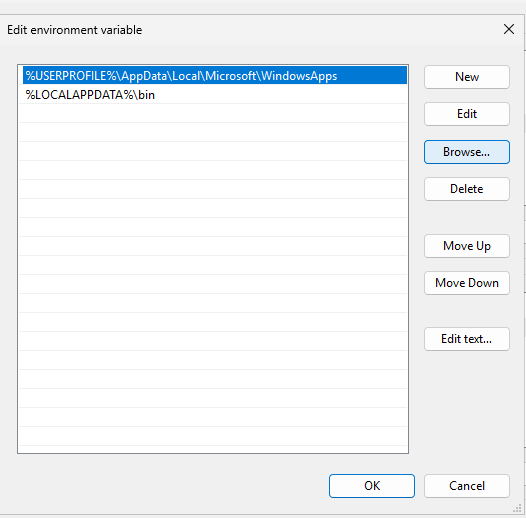
Create %LOCALAPPDATA%\bin and add it to your user PATH (Settings -> "Edit
environment variables for your account" -> Path -> New). Open a new
terminal afterwards so the change takes effect.
2. Install the incus client
Download bin.windows.incus.{x86_64|arm64}.exe from the Incus
Releases page into %LOCALAPPDATA%\bin
and rename it to incus.exe.
3. Install incus-compose
Download incus-compose_1.0.0_windows_{amd64|arm64}.tar.gz from the
incus-compose Releases page,
extract it, and copy incus-compose.exe into %LOCALAPPDATA%\bin.
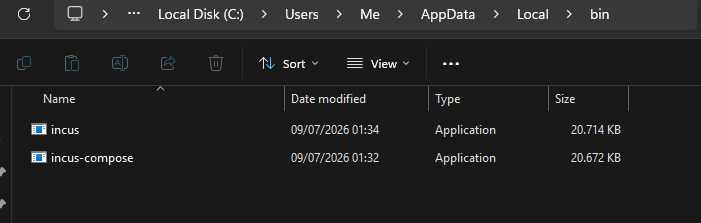
Verify both are on your PATH in a new PowerShell terminal:
incus version
incus-compose version
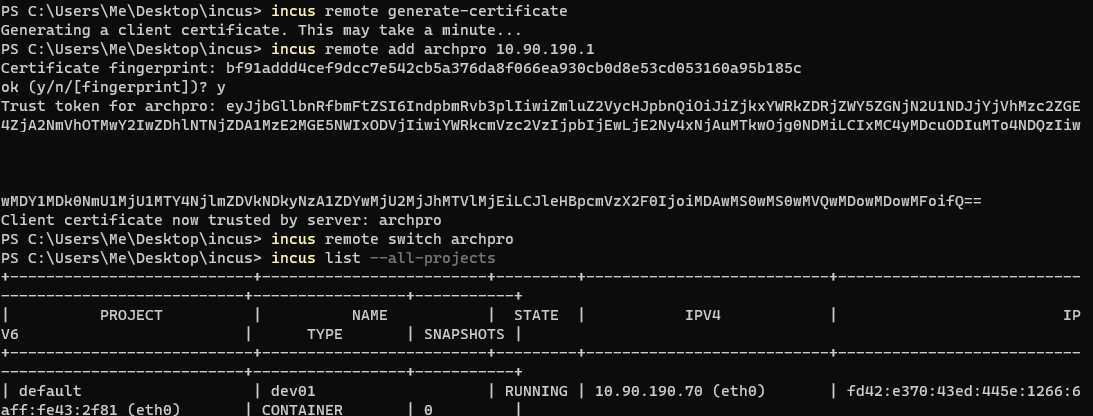
4. Generate a client certificate
Make sure your clock is correct (TLS verification fails on a skewed clock), then generate a client certificate:
incus remote generate-certificate
5. Generate a token on the server and use it
On the server:
incus config trust add <clientname>
On the client:
incus remote add <servername> <serverip>
6. Make it the default and test it
Make it your default remote:
incus remote switch <servername>
Test the connection:
incus list --all-projects
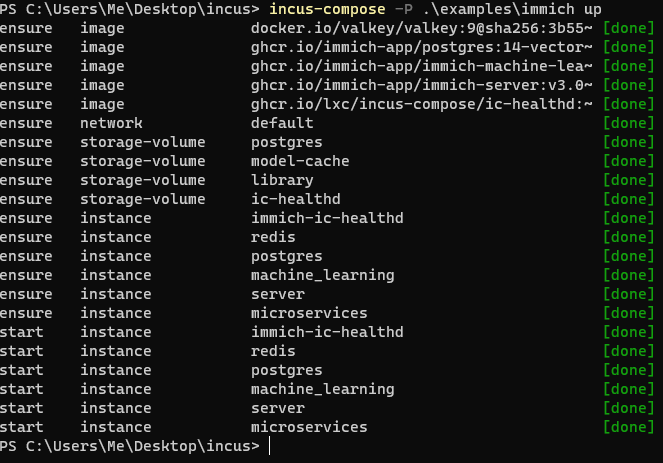
incus-compose in action
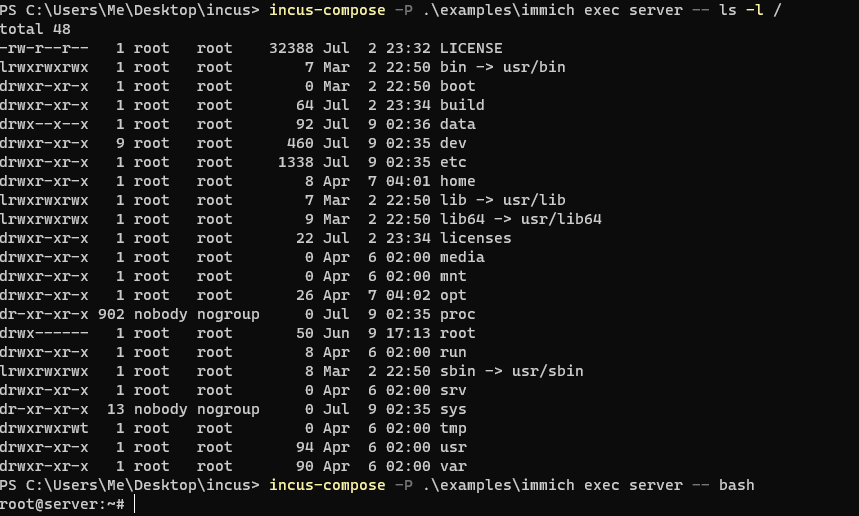
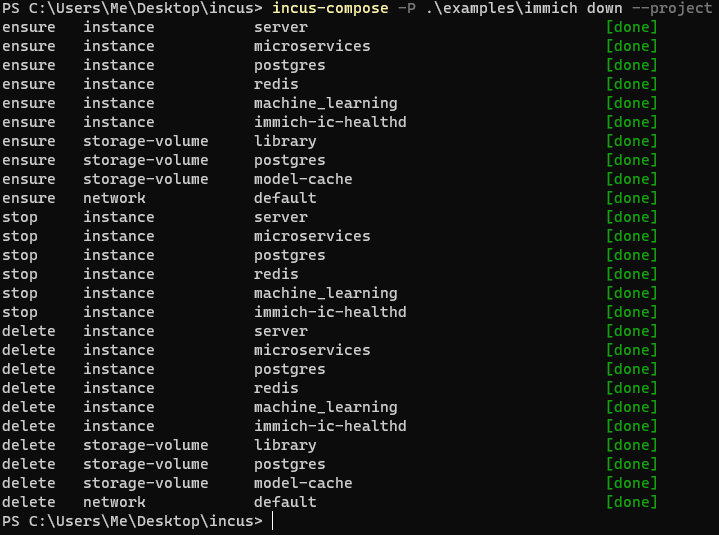
Notes and limitations
- Remote-only. The Incus server is never this machine, so a plain
pass-through bind mount is refused - incusd would look for the source path on
the Linux server, where it isn't. Add
x-incus-compose.seed: trueto the volume entry and the files are copied across instead, which works from here and is what the option exists for. A named volume is the other answer, for data that lives on the server anyway. Health checks work automatically over HTTPS. See Local vs Remote Incus. - Builds need a local
podmanordockerwhich are not available on Windows.
Have fun with incus and incus-compose on Windows!